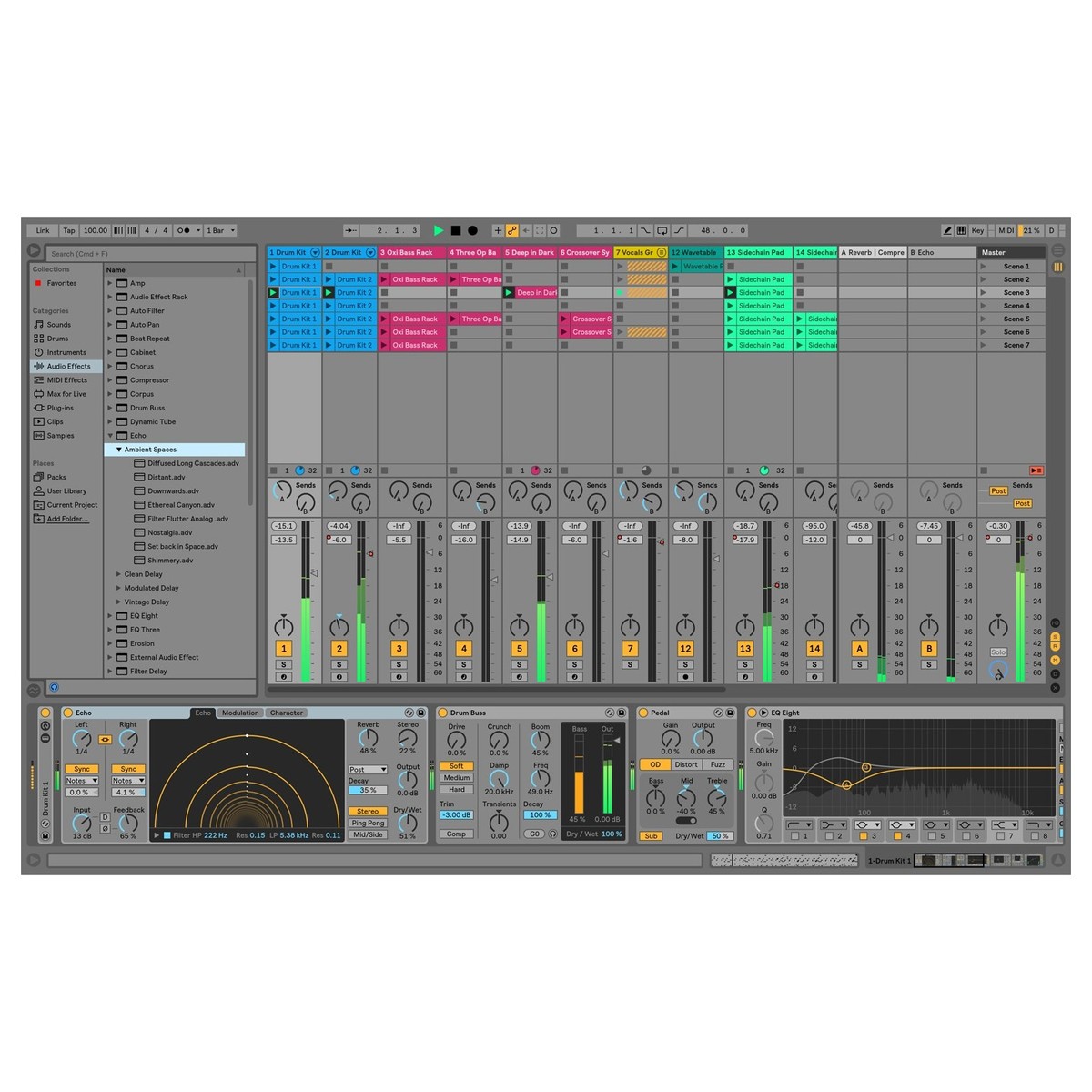
Showing and Hiding Results
| Windows | Action | |
|---|---|---|
| F11 | Toggle Full Screen Mode | |
| Ctrl+Shift+W | Toggle Second Window | |
| Tab | Toggle Session/ArrangementView | |
| Shift+Tab/F12 | Toggle Device/Clip View | |
| Ctrl+Alt+L/Shift+F12 | Hide/Show Detail View | |
| Q | Toggle Hot-Swap Mode | |
| D | Toggle DrumRack/last-selected Pad | |
| Shift+? | Hide/Show Info View | |
| Ctrl+Alt+B | Hide/Show Browser | |
| Ctrl+Alt+O | Hide/Show Overview | |
| Ctrl+Alt+I | Hide/Show In/Out | |
| Ctrl+Alt+S | Hide/Show Sends | |
| Ctrl+Alt+M | Hide/Show Mixer | |
| Ctrl+, | Open the Preferences | |
| Esc | Close Window/Dialog |
Adjusting Values
| Windows | Action | |
|---|---|---|
| Arrow Up/Arrow Down | Decrement/Increment | |
| Ctrl | Finer Resolution for Dragging | |
| Delete | Return to Default | |
| 0......9 | Type in Value | |
| .+, | Go to Next Field | |
| Esc | Abort Value Entry | |
| Enter | Confirm Value Entry |
Browsing
| Windows | Action | |
|---|---|---|
| Arrow Up/Arrow Down | Scroll Down/Up | |
| Right and left arrow | Close/Open Folders | |
| Enter | Load Selected Item fromBrowser | |
| Shift+Enter | Preview Selected File | |
| Ctrl+F | Search in Browser | |
| Down arrow | Jump to Search Results |
Transport
| Windows | Action | |
|---|---|---|
| Space | Play from Start Marker/Stop | |
| Shift+Space | Continue Play from StopPoint | |
| Space | Play Arrangement ViewSelection | |
| Home | Move Insert Marker toBeginning | |
| F9 | Record | |
| F10 | Back to Arrangement | |
| F1......F8 | Activate/Deactivate Track1......8 |
Editing
| Windows | Action | |
|---|---|---|
| Ctrl+X | Copy | |
| Ctrl+C | Cut | |
| Ctrl+V | Paste | |
| Ctrl+D | Duplicate | |
| Delete | Delete | |
| Ctrl+Z | Undo | |
| Ctrl+Y | Redo | |
| Ctrl+R | Rename | |
| Ctrl+A | Select all |
Loop Brace and Start/End Markers
| Windows | Action | |
|---|---|---|
| Shift+click | Move Start Marker toPosition | |
| Right and left arrow | Nudge Loop Left/Right | |
| Up & Down Arrows | Move Loop By Loop Length | |
| Ctrl+Up and Down arrow | Halve/Double Loop Length | |
| Ctrl+Right and Left arrow | Shorten/Lengthen Loop | |
| Ctrl+Shift+L | Select Material in Loop |
Session view Ctrls
| Windows | Action | |
|---|---|---|
| Enter | Launch Selected Clip/Slot | |
| Arrow Keys | Select Neighboring Clip/Slot | |
| Ctrl+A | Select all Clips/Slots | |
| Ctrl+Drag | Copy Clips | |
| Ctrl+E | Add/Remove Stop Button | |
| Ctrl+Shift+M | Insert MIDI clip | |
| Ctrl+I | Insert Scene | |
| Ctrl+Shift+I | Insert Captured Scene | |
| Ctrl+Up & down arrow | Move Nonadjacent ScenesWithout Collapsing | |
| Ctrl | Drop Browser Clips as aScene |
Arrangement View Ctrls
| Windows | Action | |
|---|---|---|
| Ctrl+E | Split Clip at Selection | |
| Ctrl+J | Consolidate Selection intoClip | |
| Ctrl+Alt+F | Create Fade/Crossfade | |
| Ctrl+L | Loop Selection | |
| Ctrl+I | Insert Silence | |
| Ctrl+Alt | Pan Left/Right of Selection | |
| Alt Unfold button | Unfold all Tracks | |
| Ctrl+Shift+F | Scroll Display to FollowPlayback |
Ctrls for Tracks
| Windows | Action | |
|---|---|---|
| Ctrl+T | Insert Audio Track | |
| Ctrl+Shift+T | Insert MIDI Track | |
| Ctrl+Alt+T | Insert Return Track | |
| Ctrl+R | Rename Selected Track | |
| Tab | While Renaming, Go to nextTrack | |
| Ctrl+G | Group Selected Tracks | |
| Ctrl+Shift+G | Ungroup Tracks | |
| + | Show Grouped Tracks | |
| - | Hide Grouped Tracks | |
| Ctrl+Arrow Keys | Move Nonadjacent TracksWithout Collapsing | |
| Ctrl Click | Arm/Solo Multiple Tracks | |
| Enter | Add Device from Browser |
Ctrls for Breakpoint Envelopes
| Windows | Action | |
|---|---|---|
| Ctrl | Finer Resolution for Dragging | |
| Shift | Enable Dragging OverBreakpoints | |
| Alt | Create Curved AutomationSegment |
Key/Mini Map Mode and the Computer Keyboard
| Windows | Action | |
|---|---|---|
| Ctrl+M | Toggle MIDI Map Mode | |
| Ctrl+K | Toggle Key Map Mode | |
| Ctrl+Shift+K | Computer MIDI Keyboard |
Zooming, Display and Selection
| Windows | Action | |
|---|---|---|
| + | Zoom in | |
| - | Zoom out | |
| Shift | Drag/Click to Append to aSelection | |
| Shift | Click to Add AdjacentClips/Tracks/Scenes toMulti-Selection | |
| Ctrl | Click to Add NonadjacentClips/Tracks/Scenes to aMulti-Selection | |
| Ctrl+Shift+F | Follow (Auto-Scroll) | |
| Ctrl+Alt | Pan Left/Right of Selection |
Clip view Sample Display
| Windows | Action | |
|---|---|---|
| Ctrl+U | Quantize | |
| Ctrl+Shift+U | Quantize Settings | |
| Right & left arrow | Move Selected Warp Marker | |
| Ctrl+I | Insert Warp Marker | |
| Ctrl+Right and left arrow | Select Warp Marker | |
| Ctrl+Shift+F | Scroll Display to FollowPlayback | |
| Shift+Right & left arrow | Move Clip Region with StartMarker |
Clip View MIDI Editor
| Windows | Action | |
|---|---|---|
| Ctrl+U | Quantize | |
| Ctrl+Shift+U | Quantize Settings | |
| Page Up/Page Down | Scroll Editor Vertically | |
| Ctrl+Ppage up/Ctrl+Page Down | Scroll Editor Horizontally | |
| Ctrl drag | Copy Notes | |
| Alt drag | Change Velocity From NoteEditor | |
| Home | Move Insert Marker toBeginning | |
| End | Move Insert Marker to End | |
| Ctrl+Shift+F | Scroll Display to FollowPlayback | |
| Shift+Right and left arrow | Move Clip Region with StartMarker |
Grid Snapping And Drawing
| Windows | Action | |
|---|---|---|
| B | Toggle Draw Mode | |
| Ctrl+1 | Narrow Grid | |
| Ctrl+2 | Widen Grid | |
| Ctrl+3 | Triplet Grid | |
| Ctrl+4 | Snap to Grid | |
| Ctrl+5 | Fixed/Zoom-Adaptive Grid | |
| Alt | Bypass Snapping WhileDragging |
Global Quantization
| Windows | Action | |
|---|---|---|
| Ctrl+6 | Sixteenth-Note Quantization | |
| Ctrl+7 | Eighth-Note Quantization | |
| Ctrl+8 | Quarter-Note Quantization | |
| Ctrl+9 | 1-Bar Quantization | |
| Ctrl+0 | Quantization Off |
Working with Sets and the Program
| Windows | Action | |
|---|---|---|
| Ctrl+N | New Live Set | |
| Ctrl+O | Open Live Set | |
| Ctrl+S | Save Live Set | |
| Ctrl+Shift+S | Save Live Set As... | |
| Ctrl+Q | Quit Live | |
| Ctrl+H | Hide Live | |
| Ctrl+Shift+R | Export Audio/Video | |
| Ctrl+Shift+E | Export MIDI file |
Working with Plug-Ins and Devices
| Windows | Action | |
|---|---|---|
| Ctrl+Alt+P | Show/Hide Plug-In Windows | |
| Ctrl | Open Second/MultipleWindows with Plug-In EditButton | |
| Ctrl+G | Group/Ungroup Devices | |
| Alt Device avtivator | Activate/Deactivate AllDevices in Group | |
| Shift | Click to Append Devices to aSelected Device | |
| Enter | Load Selected Device FromBrowser |


